Thumbnail generator
Create your first YouTube thumbnail for free
Describe the promise of your video and generate a thumbnail direction from it. Guide the subject, mood and text, then compare your options before choosing what to publish.
Create a free thumbnailOne free Balanced thumbnail with a watermark and one optional reference. No credit card needed. View plans.
Start with a promise, not just a topic.
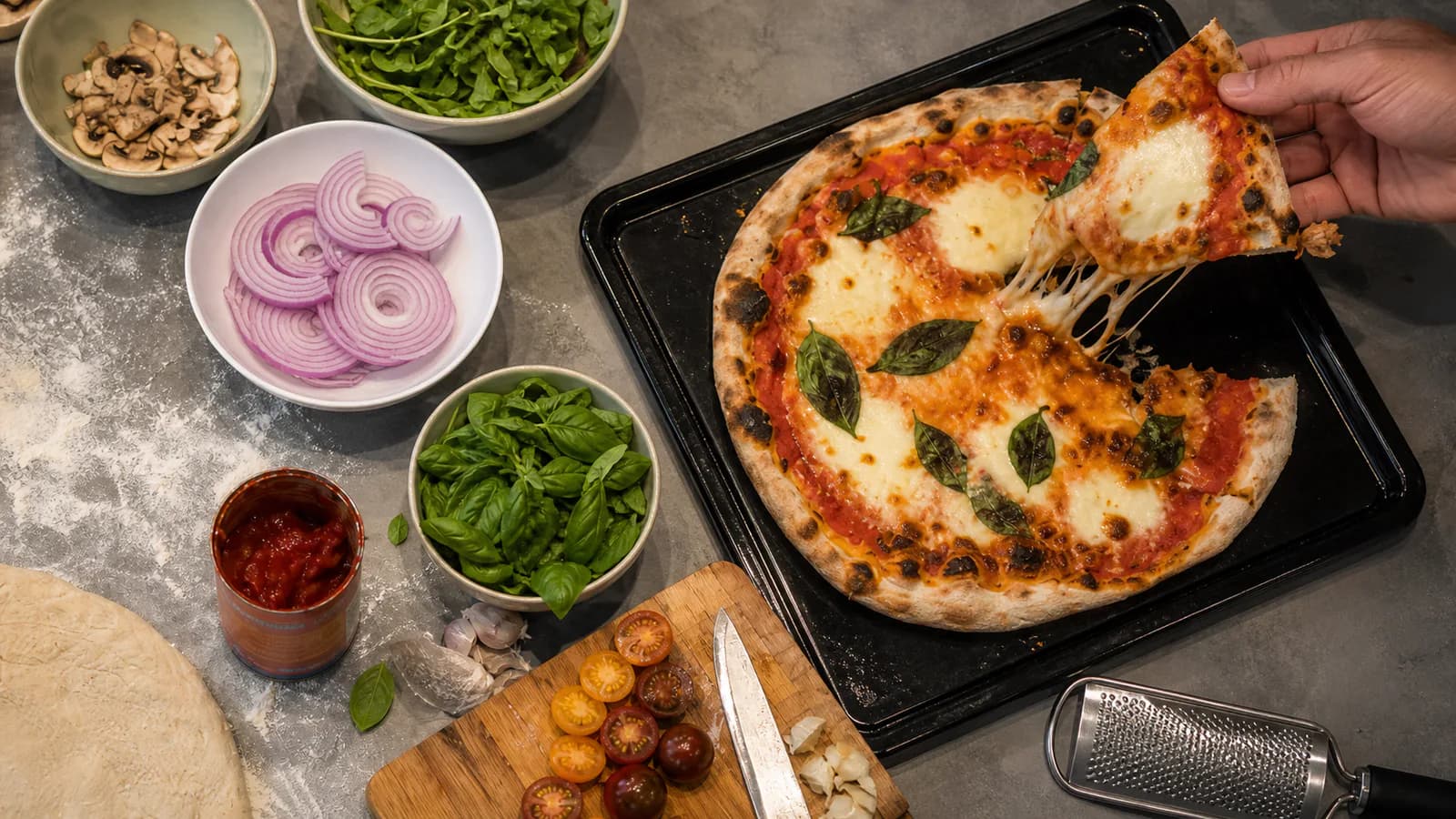
“A crispy homemade pizza in 15 minutes” gives a clearer direction than “cooking video”. Show the finished pizza and a lifted slice. A short headline such as “DINNER IN 15” can reinforce the time-saving promise.
Illustrative example, not a measured audience result.
What the generator makes
ThumbFocus generates a new image from your video brief, selected format, style controls and any reference you add. It is not a template editor or a one-click resize tool: changing the format creates a new composition for that canvas.
Use the result as a visual direction to inspect before publishing. Generated details, lettering and likeness can need another pass, so keep the video promise, any visible claim and important spelling under your own review.
Write a brief the generator can use
Add your video title and describe what the viewer will get. Mention the main subject, the emotion you want and any visual detail that matters. “A budget desk setup for a small bedroom” is more useful than “tech”.
For the pizza example, ask for warm lighting, a close-up of the finished food and an uncluttered background. The idea and description guide the subject; the style controls how it is presented. Review the result because details can need another pass.
Choose the text deliberately
Automatic headline requests short wording based on your idea. Use my text gives the generator your chosen words. No text requests artwork without lettering.
Text helps when it adds information that the image cannot convey on its own, such as “15 MINUTES”. It does not need to repeat the whole video title. Check spelling, contrast and readability before publishing.
Choose a format before you create
Start with 16:9 for a YouTube thumbnail. For a different channel, choose 9:16, 1:1, 4:5 or 4:3 when you create a new image.
Downloads are PNG files. The other ratios are new images created on their own canvas, not resizes of an existing result. Describe the subject and layout you want for the format you select, so the new image has a clear direction.
Use a photo as a starting point
Add a reference of yourself, a product or another subject you have permission to use. Explain which details should stay and which parts should change. References guide a new composition and are not a guarantee of an exact likeness.
The free attempt supports one reference. Paid access supports up to two, so you can combine a subject reference with another visual direction.
Pick a quality and compare directions
Paid generations cost 1 credit in Draft, 2 in Balanced and 4 in Premium. Try a direction, inspect it and refine the brief if the subject or mood is wrong. A higher quality setting does not replace a specific idea.
Compare up to three options in your Library. Look at them at a small size, then download your choice. Paid downloads have no watermark. Reviews are optional and cost 1 credit per image.
What does the free attempt include?
Sign up to create one full-resolution Balanced thumbnail with a watermark. Reviews and additional generations require paid credits. The free attempt is a way to try the creation workflow before choosing a plan.
What if a request fails?
If generation fails without producing a result, the reserved credits or free attempt are restored. Contact support if recovery is delayed. A successfully generated image uses credits even when you decide not to publish it.